


Solutions
NDIS scheduling software that checks before it saves.
Drag-and-drop rosters that understand plans, ratios and the SCHADS Award — and carry each shift through to the timesheet and the claim without anyone retyping it.
Rostering
Build the week once. Apply it every week.
Week and month views you drag shifts around, and templates for the patterns that repeat — a SIL house’s standing fortnight, a participant’s regular community access days. The roster is the source every later record hangs off.
- Drag-and-drop week and month views — move a shift, and its costs move with it
- Templates for repeating weeks: build the pattern once, apply it forward
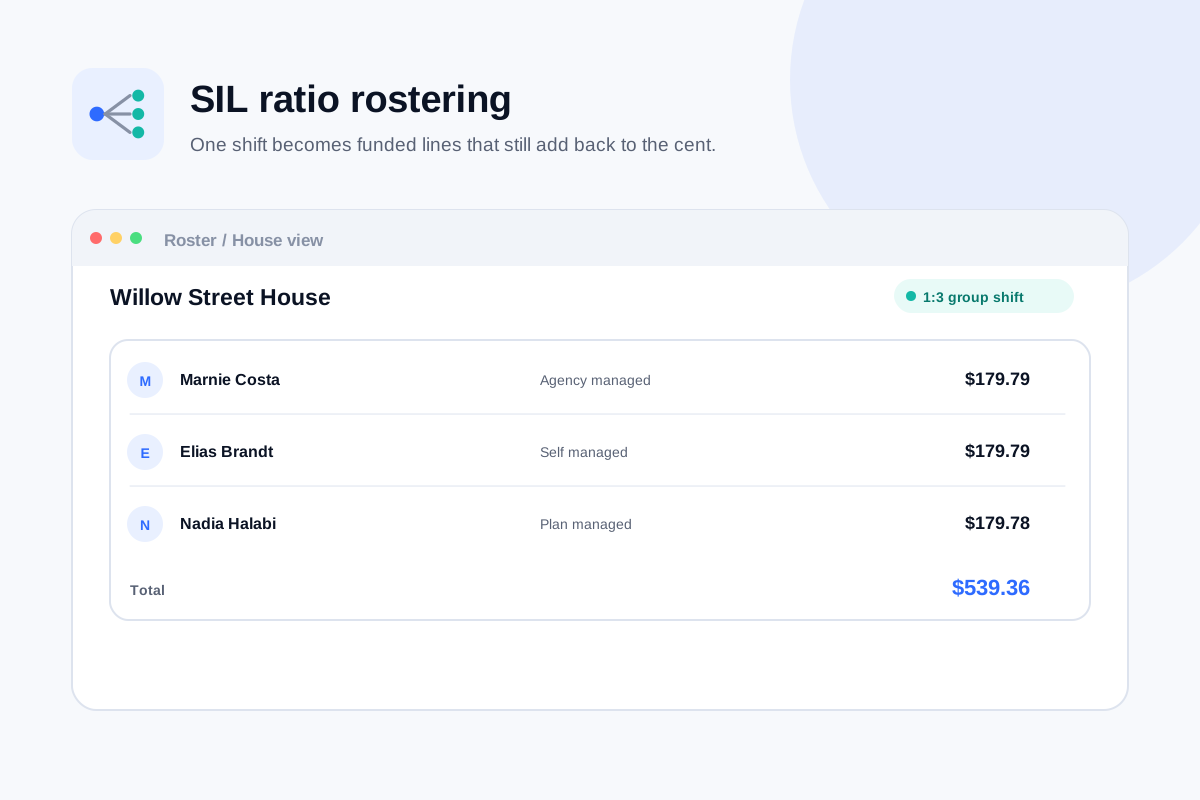
- SIL ratio shifts split their cost across the residents' plans to the cent
- Every shift is checked before it can save, not after it has been worked
Conflict checks
Fourteen checks before a shift saves.
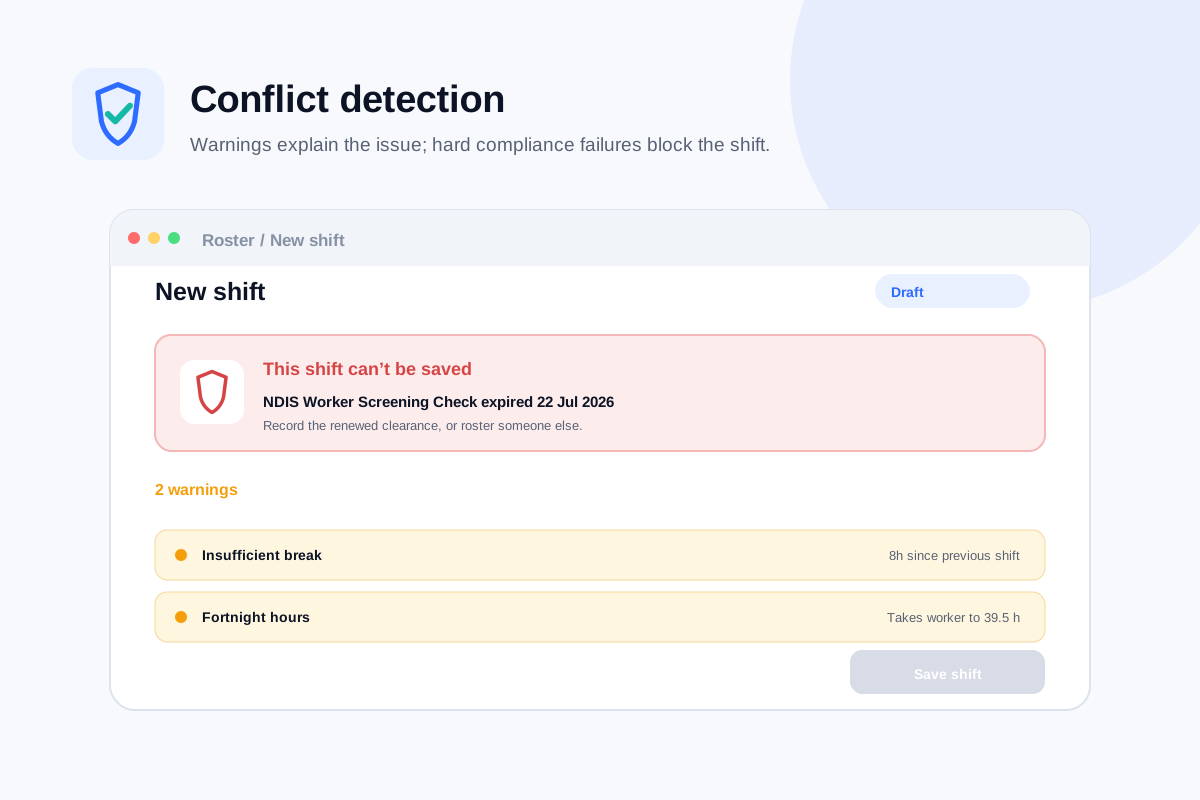
Every one of these runs when a shift is created or moved. Most raise a warning a coordinator can weigh up; an expired NDIS Worker Screening Check blocks the shift outright.
- 01Double booking
- 02Approved leave
- 03Outside availability
- 04Insufficient break
- 05Exceeds weekly hours
- 06Expired screening
- 07Expired qualification
- 08Missing qualification
- 09Unfunded support
- 10Budget exhausted
- 11Plan expired
- 12Ratio breach
- 13No participant assigned
- 14House capacity
A check that runs after the shift has been worked is a report. A check that runs before the shift can save is a control. These are controls.
The worker app
The whole shift, on the worker’s phone.
The schedule only holds if the people working it can see it, clock against it and note against it — without ever touching an admin screen.
One tap to clock in
GPS clock-in records location with the accuracy radius of the reading. Out of range is flagged amber for a manager to review — never auto-rejected, never used to withhold pay.
Tasks on the shift
Shift tasks travel with the roster, so what has to happen on the shift is on the phone of the person working it. No admin screens, no desktop login.
Case notes by voice
A case note can be dictated instead of typed, and it lands against the shift it describes — where the timesheet, the clock record and the audit trail already sit.
One record
Roster to timesheet to claim. One chain, typed once.
Scheduling software that stops at the schedule leaves you retyping the same shift into a timesheet and then a claim. Nexrosta keeps one record from publish to payment.
Roster
Build the week by hand or apply a template. All 14 conflict checks run before a shift can be published.
Timesheet
The worker clocks in against the rostered shift, so the timesheet is the clock record — not a copy someone retyped on Friday.
Claim
Approved hours become invoices and an NDIA bulk payment request, priced from a date-effective price book. CSV, Xero, MYOB and QuickBooks exports in every tier.
The whole chain is in every tier, including the free one — see pricing for what the paid tiers add on top.
Get started
Publish a roster that has already been checked.
Add a few workers and participants, or import them from CSV, and build your first week. The 14 checks are on from the first shift.
Free forever for up to 5 users. No credit card, no trial clock.