


Features — rostering
Build the week in minutes. Publish it checked.
Drag-and-drop week and month views, templates for the fortnight that repeats, and fourteen checks that run before any shift can save. This is the roster the timesheet and the claim hang off.
Building the week
A week you assemble, not a form you fill in.
The roster is where everything downstream starts, so building it has to be fast and hard to get wrong. Shifts move by dragging; the recalculation happens as they move.
Drag and drop
Pick a shift up and drop it on a worker or a day. Costs, ratios and checks recalculate as it lands, so a bad move is visible before it is saved — not after it has been worked.
Templates
Most weeks are last week again. Save the pattern — a SIL house’s standing fortnight, a participant’s regular community access days — apply it forward, and adjust only the exceptions.
Week and month views
Build shifts in the week view. Step back to the month to check coverage, leave and gaps across the whole period. Same shifts, two altitudes.
Rostering a SIL house? Ratio shifts split their cost across the residents’ plans as you drag them, to the cent — see SIL for providers.
Conflict checks
Fourteen checks before a shift can save.
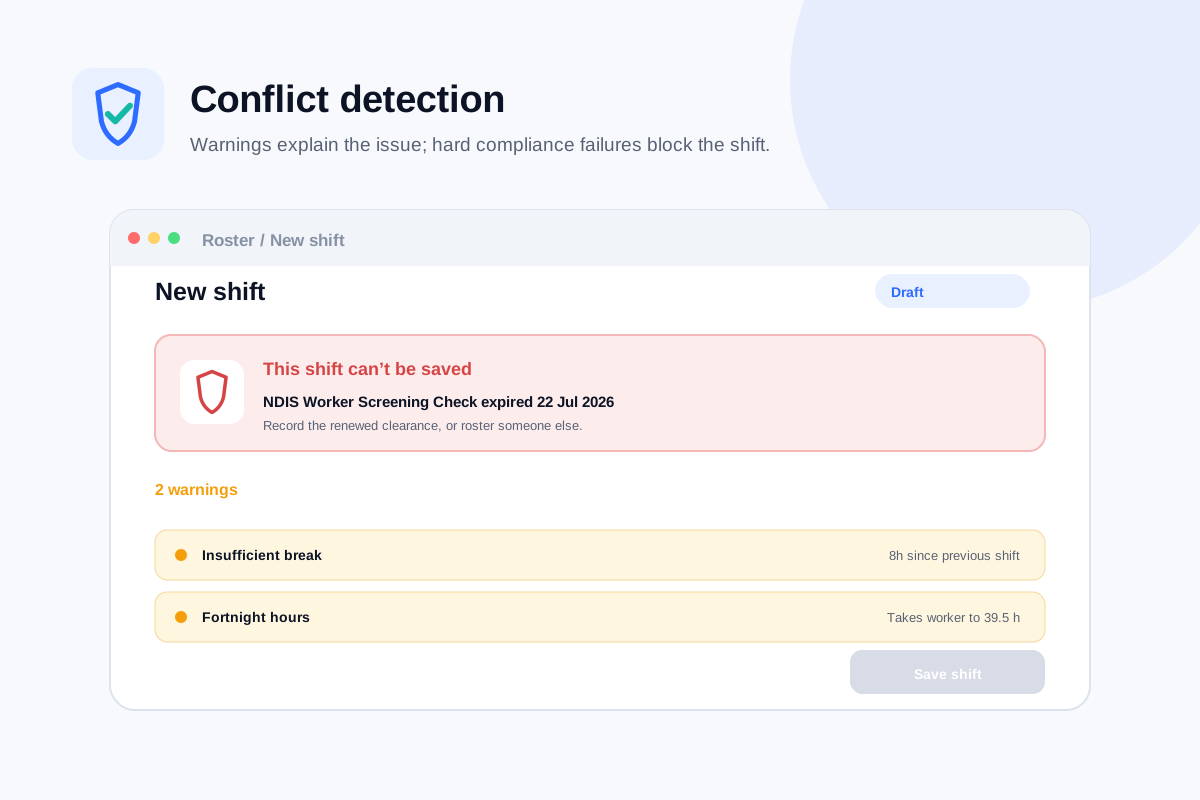
All fourteen run every time a shift is created, moved or edited. Most raise a warning a coordinator can weigh up; an expired NDIS Worker Screening Check blocks the shift outright.
- 01Double booking
- 02Approved leave
- 03Outside availability
- 04Insufficient break
- 05Exceeds weekly hours
- 06Expired screening
- 07Expired qualification
- 08Missing qualification
- 09Unfunded support
- 10Budget exhausted
- 11Plan expired
- 12Ratio breach
- 13No participant assigned
- 14House capacity
Fourteen because that is how many the roster evaluates. The list above is printed from the product, not rounded to a nicer number.
Publishing
Publish once. The roster reaches the people on it.
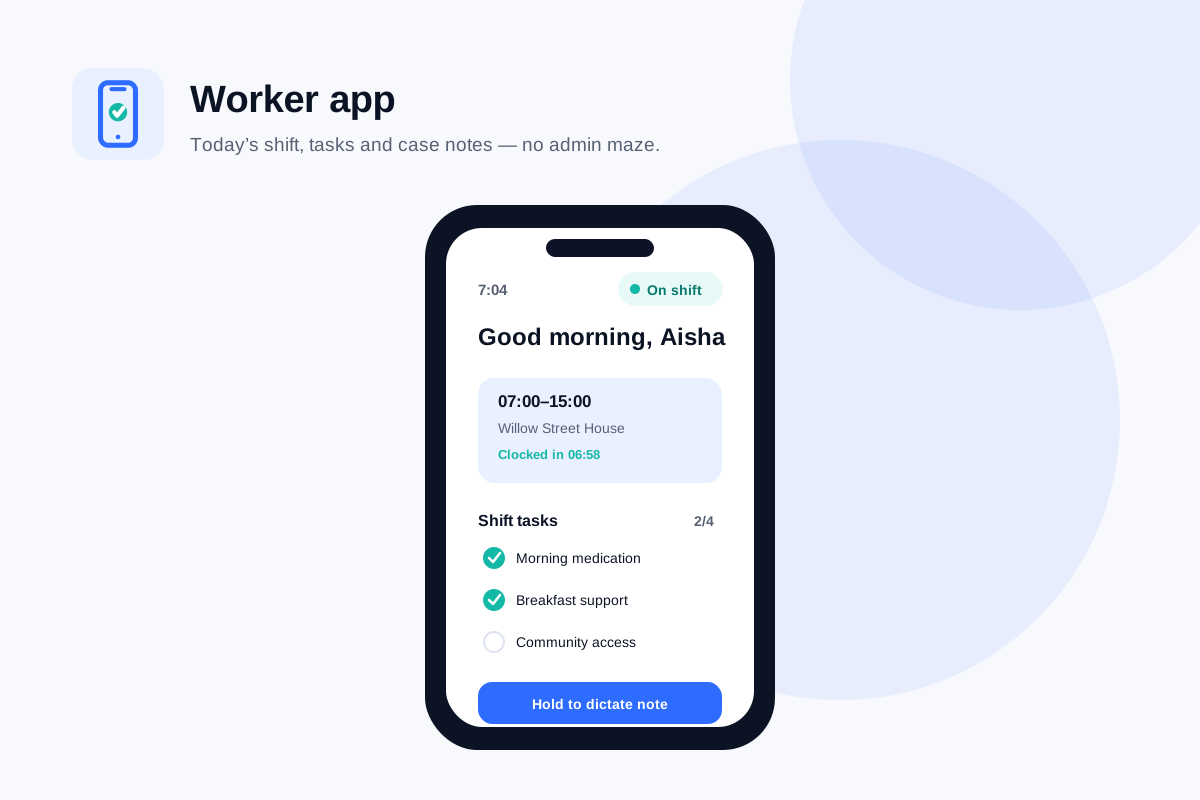
A roster that lives in a spreadsheet has to be re-announced every time it changes. A published Nexrosta roster is the copy the worker sees on their phone — times, place and shift tasks included.
- Workers see their published shifts in the app — no screenshot of a spreadsheet doing the rounds
- A moved or cancelled shift updates in the app for the people it affects
- On the Growth plan, SMS alerts reach workers between app opens, and the open shift marketplace offers an unfilled shift out instead of you ringing down a list
Roster to timesheet
The timesheet is the clock record, not a retype.
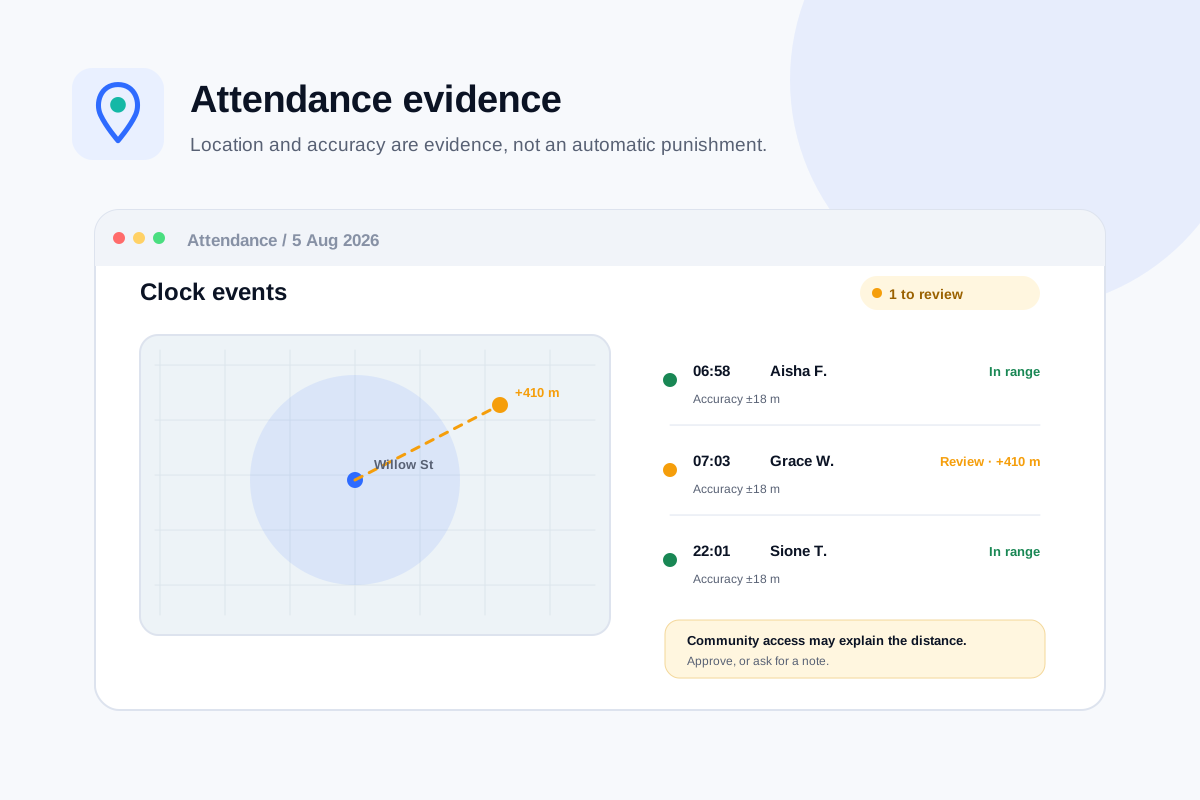
Workers clock in from their phone against the shift you rostered. What was worked is recorded where it was scheduled, so nobody re-enters the same hours into a second system on Friday afternoon.
- Clock-in and clock-out sit against the rostered shift they belong to
- GPS records location with the accuracy radius of the reading — out of range is flagged amber for review, never auto-rejected
- Differences between rostered and worked time surface for approval instead of disappearing into a retype
- Approved hours price against the date-effective price book and flow into the claim
Related
Get started
Build a week that has already been checked.
Add a few workers and participants, or import them from CSV, and drag your first shifts onto the week. The fourteen checks run from the first one.
Free forever for up to 5 users. No credit card, no trial clock.