


Features — price configuration
The price book that knows what day it is.
NDIS prices change on a date, not gradually. Nexrosta keeps every price guide you import, effective from its own date, and prices every shift cost and claim line from the book in force on the day of support.
The price book
A new price guide never rewrites an old shift.
A single “current prices” table quietly re-prices everything, including supports delivered under the old limits. Nexrosta’s price book is date-effective instead: each imported guide applies from its own date, and only from its own date.
Import the new guide
When a new NDIS Pricing Arrangements release takes effect, import it with its effective date. From that day forward, new supports price against it.
The old book stays
Shifts worked before the change keep pricing against the book that was in force at the time. A price update never rewrites history it did not apply to.
Priced by day of support
The date of the support selects the book. Nobody re-prices June's shifts because July's guide arrived, and nobody claims July at June's limits.
Support item price limits come from the NDIS Pricing Arrangements and Price Limits. Nexrosta stores the release you import and the date it took effect — the figures themselves stay the NDIA’s to publish.
Penalty windows
One shift, split into the right segments.
A weekday shift from 6pm to 10pm is not one price — it crosses 8pm, where the evening window starts. Nexrosta splits it at the boundary automatically, so the claim reflects when the support actually happened.
- A weekday shift crossing 8pm splits into its daytime and evening segments at the boundary — you roster one shift, the segmentation is automatic
- Weekday, evening, night, Saturday, Sunday and public holiday windows are applied from the shift's actual times
- An overnight shift that crosses into a new day splits at the day boundary as well
- Each segment carries its own support item and hours on the claim — mechanics you can inspect, not one blended figure
Custom rates
Charge under the cap where you choose to.
The price limits in the Pricing Arrangements are maximums, not mandates. Some providers charge less for some supports, and the price book should carry that decision rather than fight it.
- Set a rate below the price limit for a support item where your organisation chooses to charge less than the cap
- The imported limit stays visible beside your rate, so what you charge and what the cap allows are both on the record
- A changed rate takes effect from its date, the same way an imported guide does — earlier supports keep the rate that applied to them
Claim lines
Every line priced from the book in force that day.
The point of all of this is the claim. When approved hours become claim lines, each line looks up the book by its date of support — which is why a claim built across a price change comes out right without anyone splitting it by hand.
- Each line prices from the price book in force on the day the support was delivered — not the day the claim was run
- Penalty-window segments appear as their own lines, with their own hours
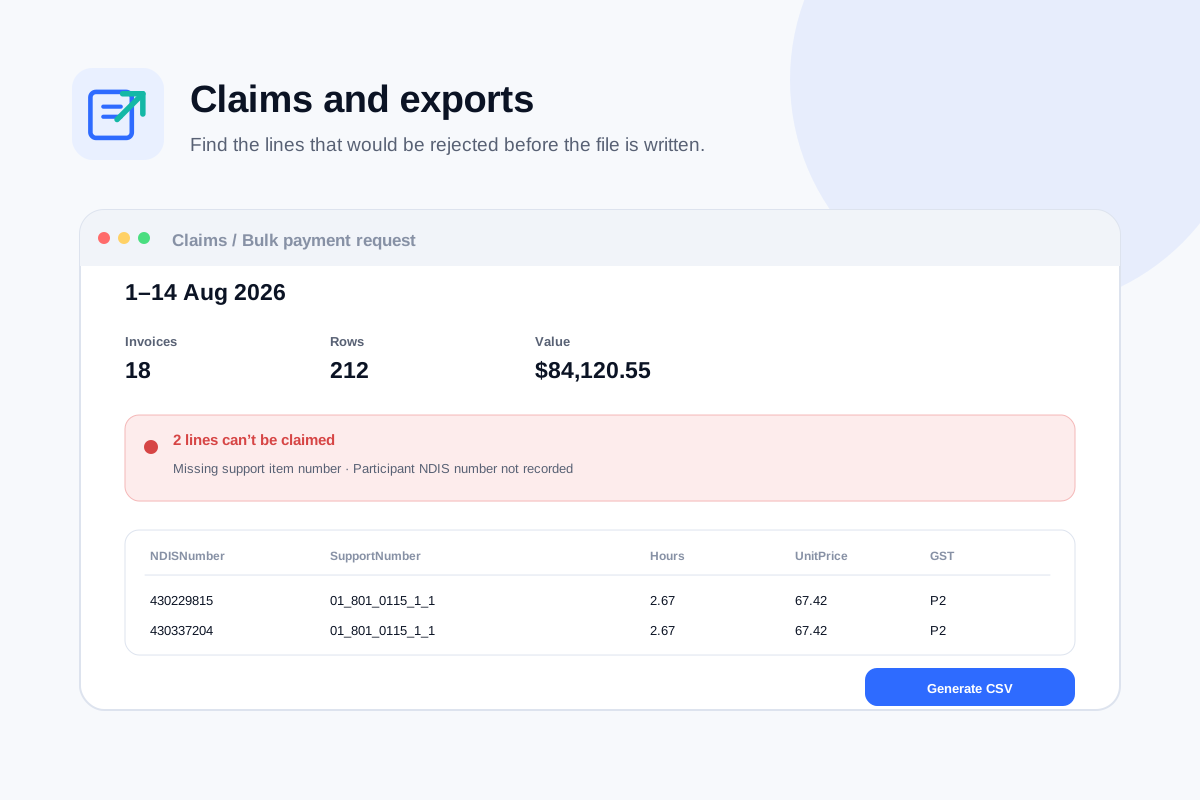
- Lines are checked against the participant's plan and the price book before an NDIA bulk payment request file is written
- Because every book you have imported is kept, a claim re-priced at audit reproduces — the book that priced it is still there
Related
Get started
Price the next claim from the right book.
Import the current price guide, set any rates you charge below the cap, and roster. Segmentation and day-of-support pricing run without being asked.
Free forever for up to 5 users. No credit card, no trial clock.