
PLAN THE WORK. REVIEW THE DETAILS.
NDIS rostering that connects the shift to the record.
Build a week around participants, workers and the support being delivered. Review conflicts before publishing, then keep clock records, notes and timesheets connected to the shift.
See a working week, not a list of appointments
Use the week or month roster and group the view by worker, participant or house. A coordinator can see assigned and unfilled work, move a shift to a different time and keep draft work separate from published shifts. The example below uses fictional participants and workers in an isolated demonstration workspace.
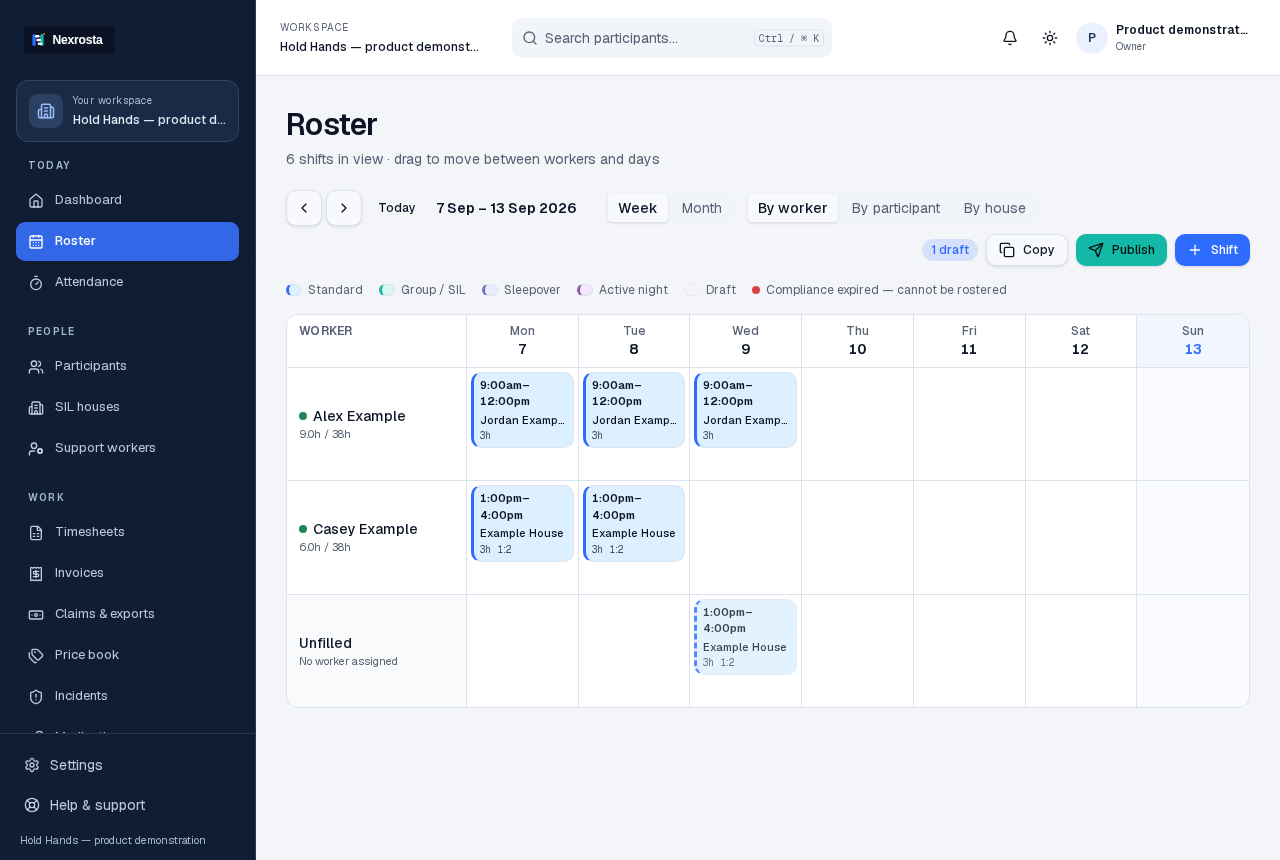
- Add the participant, worker and relevant support item before creating a shift.
- Choose the date, start and finish, worker, location and any required skills.
- Review the result before publishing the roster to your team.
Know what blocks a save and what needs judgement
A worker already booked at the same time, approved leave or a required expired compliance item can block a shift. Availability, insufficient breaks, missing recorded skills, plan dates and budget concerns can produce warnings. A warning asks the coordinator to review the situation; it is not an automatic assurance that a shift is appropriate.
- Example: Alex is assigned 9 am–noon. A second overlapping shift needs a different worker or time.
- Example: a participant's plan ends before the proposed shift. Check the current plan and funding before proceeding.
- Keep qualifications, availability and plan information current: checks can only use what has been recorded.
Repeat a pattern, then review the exceptions
Repeat shifts for ongoing support and use the roster to review the resulting dates. A familiar weekly pattern can still need attention for leave, public holidays, staffing changes and participant preferences. Confirm the period, worker and support arrangement before publishing a recurring series.
Follow the shift through delivery and review
Assigned workers can open their shifts in a mobile browser, clock in and out and record case notes. Clock records feed timesheets for review. Coordinators then review the worked time and supporting records before preparing invoices or claim files. Nexrosta does not replace your payroll or the provider's responsibility to verify support and current pricing.
Start with one team and one week
Five staff seats are free permanently. Add a small set of current records, build a week and review it together before expanding. For shared living support, the house view brings residents and ratio shifts into the same roster.
Explore SIL shift managementFollow the roster walkthroughFree and Team pricing
Bring your team together.
Start with five free staff seats. No card required.
Create your workspaceTalk to us →