
PREPARE. SIGN. FILE. REVIEW.
Participant paperwork with a clear next step.
Keep unfinished preparation, signing and reviewed evidence distinct. Document storage and forms are available to providers; the digital signing workflow shown here uses the configured Hold Hands pack. Other provider packs require template setup before use.
Save preparation without issuing a signing link
In the configured pack, staff can prepare service-agreement and onboarding records, consent choices, support plans and risk or emergency arrangements. Save incomplete work as an unsigned draft and return to it when the missing information is available. A saved draft is not a participant's agreement or reviewed audit evidence.
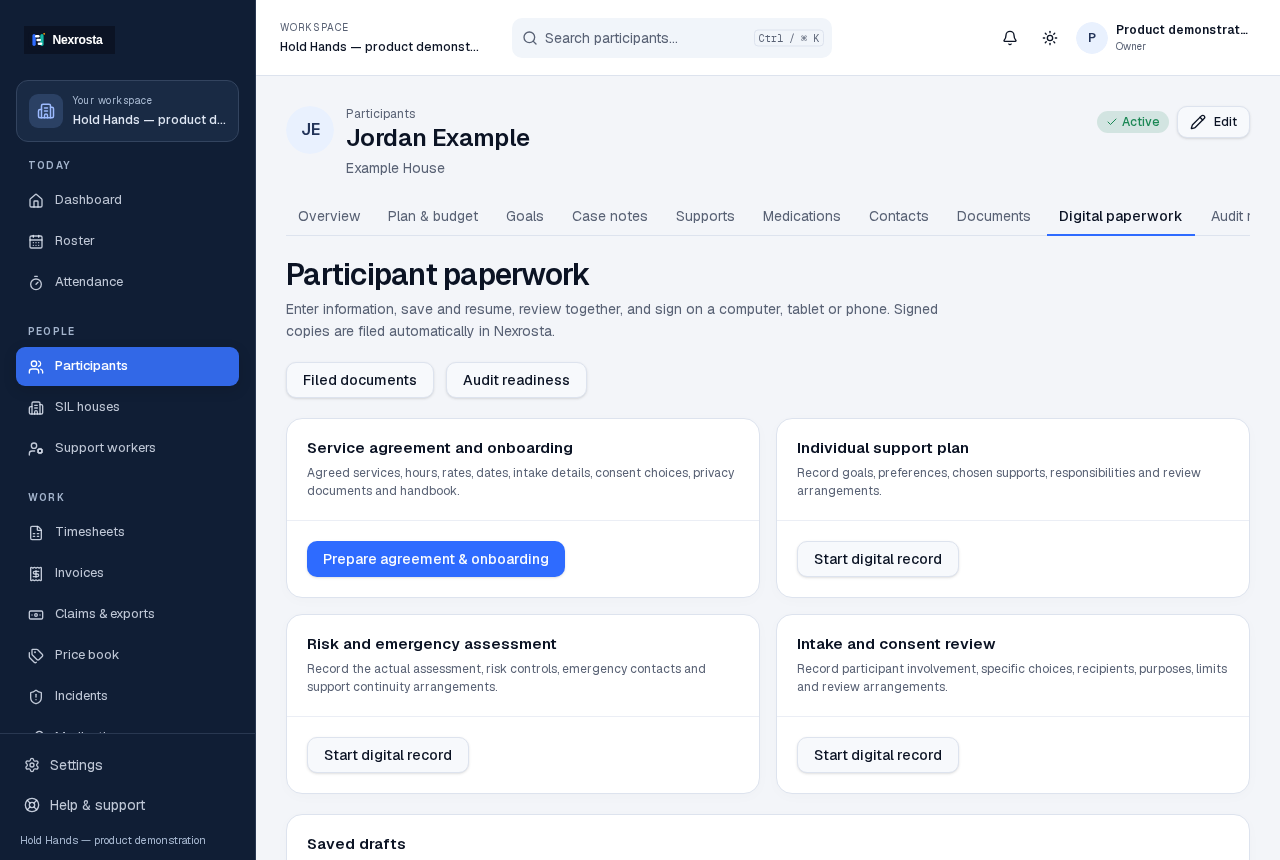
- Open the participant's Paperwork area and choose the relevant record.
- Enter the specific arrangements, choices and review information.
- Save a draft while any required information still needs confirmation.
Review the pack before inviting a signature
When preparation is complete, check the record and recipient before sharing a participant link. Participants can review the configured pack on a phone or computer and use a typed or drawn signature. A participant signature and the provider's countersignature are separate stages; staff can see when provider review is still needed.
Find the signed result in the participant record
The signing record retains its status and links to the filed PDF. If a signature has been saved but PDF filing is still pending, the interface says so. Staff should confirm the final record is filed before relying on it as completed documentation. Existing professional reports and other evidence can be added under Documents.
Keep readiness tied to current evidence
Readiness actions keep missing or out-of-date evidence visible. A reviewed action needs supporting evidence and a next review date; expired or changed evidence returns for attention. Completing a checklist or signing a form does not certify compliance, establish clinical suitability or guarantee an audit outcome.
What needs setup for another provider?
The current signing experience is configured for the Hold Hands document pack. Another provider must have its own wording, source documents, required information and signing arrangements configured and checked before that pack can be used. Creating a Free account does not automatically provide a ready-to-send generic signing pack.
Discuss your document packView the configured-pack walkthroughSee what the plans include
Bring your team together.
Start with five free staff seats. No card required.
Create your workspaceTalk to us →