
REQUEST A DEMO
A short tour of the work around care.
Follow three everyday workflows in the real Nexrosta interface. These screenshots use synthetic demonstration records. Then start free or request a conversation about your own setup.
1. Build and review the week
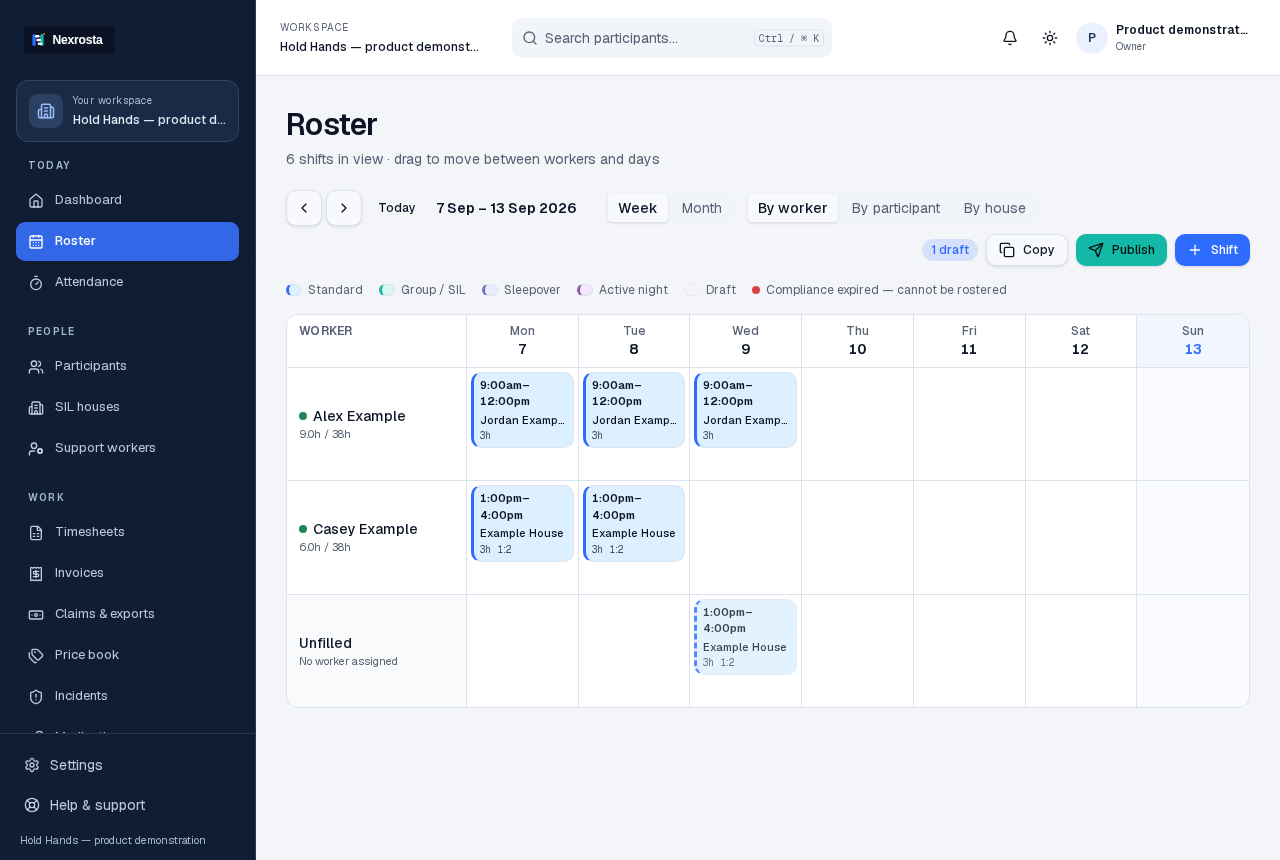
Open Roster and choose the week or month. In this example, fictional workers have individual and shared-house shifts. Change the grouping to see the work by worker, participant or house. Use the + Shift button to prepare work, read any conflict results, then review drafts before publishing.
2. Check the house and unfilled work
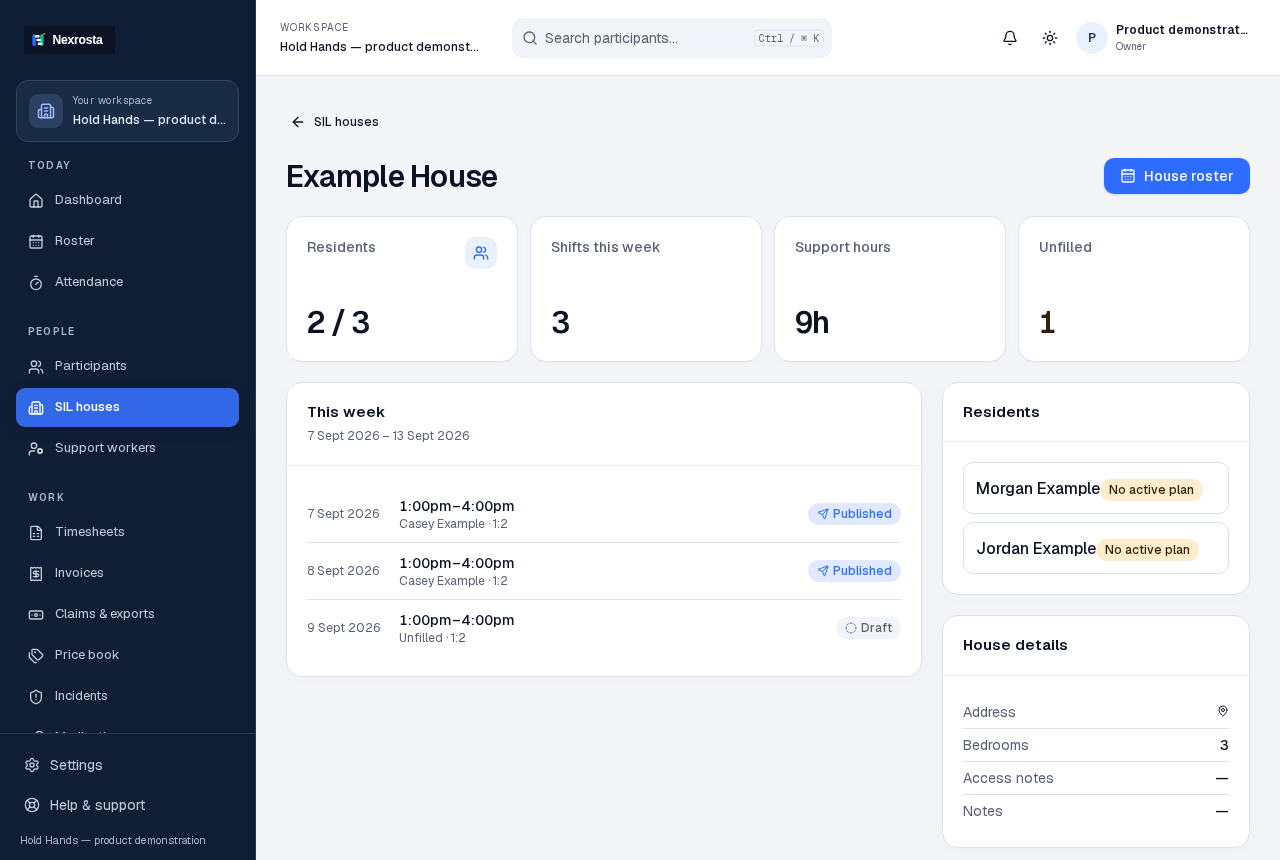
Open SIL houses and select the example house. Read its Residents, Shifts this week, Support hours and Unfilled cards. The shift list shows the worker and recorded ratio. House roster returns you to a house-focused view; individual participant records keep the person's own information separate.
3. Prepare paperwork and review its status
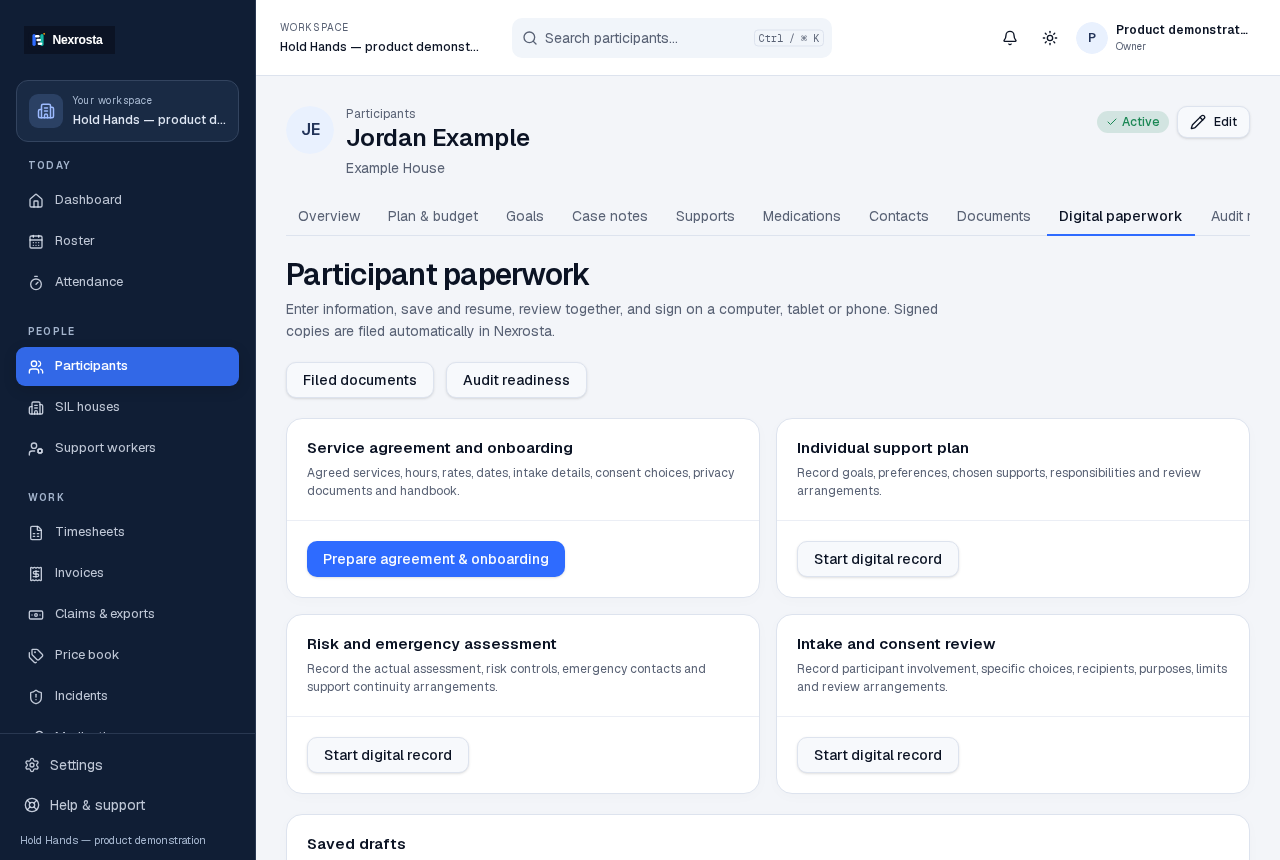
For the configured Hold Hands pack, open a participant and choose Paperwork. Pick the relevant record, save incomplete preparation in Saved drafts, and review the signing status separately. A record awaiting provider review is not yet signed by both parties. Other providers need their document pack configured before using this signing workflow.
Talk through your own workflow
Use the form below to tell us what your team needs to see. Include approximate team size and preferred availability, without participant or health information. The request is saved as an enquiry; it is not a confirmed appointment.
You can start exploring now
Create a Free account for up to five staff seats without a card. Verify your email with a short code, then complete organisation setup and review the workflow with your team. A paid plan only begins after checkout and payment confirmation.